








What you'll be able to do
- Build interactive front-ends in React with components, hooks, and routing
- Design and build REST APIs with Node and Express
- Model and query application data in MongoDB with Mongoose
- Secure the stack with JWT authentication and role-based access
- Test, deploy, and demo a complete MERN product
Before you start
- A laptop that can run Node.js and a code editor (VS Code)
- Basic HTML/CSS helps, but the course starts from the fundamentals
- Willingness to practice daily through the cohort
Tools & technologies
The syllabus
Introduction to Web Technologies & HTML Basics
Understand how the web works and write your first HTML pages.
- How the web works: client–server, DNS, HTTP/HTTPS
- Browsers and web servers
- Set up your dev environment: editor, IDE, DevTools
- HTML document structure, tags, and attributes
- Build your first page: headings, paragraphs, lists, images
- Day 1 checkpoint
Advanced HTML & Semantic HTML
Build forms, embed multimedia, and write accessible, semantic markup.
- Forms and form controls: inputs, buttons, checkboxes, radios
- Multimedia: audio, video, and embedding
- Tables and structuring data
- Semantic HTML, accessibility, and SEO-friendly markup
- Project 1: Personal Bio Page
- Day 2 checkpoint
Introduction to CSS & Styling Basics
Style HTML with selectors, text properties, and the box model.
- Three ways to add CSS: inline, internal, external
- Selectors, properties, and values
- Styling text: fonts, colors, and alignment
- The box model: margin, padding, border, content
- Day 3 checkpoint
Advanced CSS for Layouts
Lay out responsive pages with Flexbox, Grid, positioning, and media queries.
- Flexbox fundamentals
- CSS Grid fundamentals
- Float, clear, and positioning (relative/absolute/fixed/sticky)
- Responsive design with media queries
- Project 2: Responsive Product Landing Page
- Day 4 checkpoint
CSS Transitions, Animations & Pseudo-Classes
Add motion and interactive states with transitions, keyframes, and pseudo-classes.
- Transitions for smooth animations
- Keyframes and custom animations
- Pseudo-classes and pseudo-elements: :hover, ::before, ::after
- Day 5 checkpoint
JavaScript Basics
Write core JavaScript and manipulate the DOM.
- Variables, data types, and operators
- Functions, conditionals, and loops
- DOM manipulation: accessing and modifying elements
- Project 3: Interactive Quiz
- Day 6 checkpoint
Advanced JavaScript & Event Handling
Handle events and validate forms with JavaScript and regex.
- Arrays, objects, and functions in depth
- Event listeners: click, hover, keypress
- Form validation and regular expressions
- Day 7 checkpoint
Introduction to Bootstrap & Responsive Design
Use the Bootstrap grid to build responsive layouts fast.
- What is Bootstrap and how to set it up (CDN vs local)
- The Bootstrap grid system
- Responsive layouts: breakpoints and column system
- Project 4: Responsive Business Website
- Day 8 checkpoint
Bootstrap Components & Utilities
Build UIs faster with Bootstrap components and utility classes.
- Core components: buttons, cards, forms, alerts
- Navigation bars and dropdowns
- Utility classes: spacing, colors, and responsive helpers
- Day 9 checkpoint
Bootstrap Forms & Modals
Build responsive forms, modals, and carousels with Bootstrap.
- Responsive forms: input groups, form grids, validation styles
- Modals for pop-up content
- Carousels for image and content sliders
- Project 5: Bootstrap Portfolio Website
- Day 10 checkpoint
Integrating JavaScript with Bootstrap
Control and extend Bootstrap components with JavaScript.
- Controlling Bootstrap components with JavaScript (modals, tooltips, dropdowns)
- Event listeners for dynamic Bootstrap interactions
- Day 11 checkpoint
Advanced JavaScript & AJAX
Fetch and display external data dynamically with AJAX and JSON.
- Asynchronous JavaScript and AJAX explained
- Fetching external APIs and working with JSON
- Dynamic content loading without page refresh
- Day 12 checkpoint
Web Development Best Practices
Use Git for version control and optimize web performance.
- Version control with Git and GitHub: clone, commit, push, pull
- Performance: minifying CSS/JS and optimizing assets
- Day 13 checkpoint
Project Deployment & Final Review
Deploy a static site and verify it across browsers and devices.
- Deploying with GitHub Pages and Netlify
- Cross-browser compatibility and responsiveness checks
- Final project preparation and review
- Day 14 checkpoint
Foundation Capstone: Complete Web Application
Plan, build, and present a multi-page responsive web app.
- Capstone brief: a multi-page responsive web app
- Planning and structuring your foundation capstone
- Build and present your foundation web app
Introduction to Full-Stack Development & the MERN Stack
Understand full-stack development, meet MongoDB, Express, React, and Node, and set up the development environment.
- What is full-stack development?
- Introduction to the MERN stack: MongoDB, Express, React, Node
- Overview of web technologies: HTML, CSS, JavaScript, Git & GitHub
- Set up your MERN development environment: Node.js, npm, VS Code
- Day 1 checkpoint
HTML & CSS Essentials
Work with HTML elements, forms and tables, lay out pages with Flexbox and Grid, and go responsive with media queries and Bootstrap.
- HTML elements, forms, and tables
- CSS selectors, Flexbox, and the Grid system
- Responsive design and media queries
- Bootstrap basics
- Day 2 checkpoint
Advanced CSS & JavaScript Fundamentals
Add motion with CSS animations and transitions, then manipulate the DOM with core JavaScript.
- CSS animations and transitions
- JavaScript basics: variables, data types, operators
- DOM manipulation, events, and event listeners
- Day 3 checkpoint
JavaScript Advanced Concepts
Work fluently with functions, objects, arrays, and asynchronous JavaScript.
- Functions, objects, and arrays in depth
- Arrow functions and callback functions
- Asynchronous JavaScript: promises and async/await
- Day 4 checkpoint
ES6+ Features & Modern JavaScript
Use modern JavaScript: ES6+ syntax, modules, and browser storage.
- Spread and rest operators; template literals
- Destructuring, modules, and imports/exports
- LocalStorage, SessionStorage, and JSON handling
- Day 5 checkpoint
Git & Version Control
Track work with Git, collaborate on GitHub, and host a static site on GitHub Pages.
- Git basics: commit, push, pull, branching
- GitHub repositories and collaboration
- Hosting static sites on GitHub Pages
- Day 6 checkpoint
Mini Project 1 — Interactive Web Application
Build a static website with HTML, CSS, and JavaScript and deploy it on GitHub Pages.
- Mini Project 1: brief and plan
- Build: interactive static website
- Deploy on GitHub Pages
- Week 1 checkpoint
Introduction to React
Understand why React exists, set up a project, and write your first JSX components.
- Why React?
- Setting up a React project (Create React App)
- JSX and React components: functional and class
- Day 8 checkpoint
React State & Props
Pass data with props, hold state, and render conditionally.
- Understanding props and state
- State management in React
- Conditional rendering
- Day 9 checkpoint
React Forms & Event Handling
Handle forms, events, and user input the React way.
- Handling forms in React
- Controlled and uncontrolled components
- Handling user input
- Day 10 checkpoint
React Router & Navigation
Route between pages with React Router DOM and link them together.
- React Router DOM and dynamic routing
- Navigation and linking between pages
- Day 11 checkpoint
React Hooks & Context API
Use useState, useEffect, and useContext, write custom hooks, and share state with the Context API.
- useState, useEffect, useContext
- Custom hooks
- Context API for state management
- Day 12 checkpoint
Mini Project 2 — React To-Do App
Build a To-Do list app in React with LocalStorage persistence.
- Mini Project 2: brief and plan
- Build: React To-Do app with LocalStorage
- Day 13 checkpoint
React UI Libraries & Styling
Style React apps with Material-UI, Tailwind CSS, and CSS-in-JS, and keep components reusable.
- Material-UI and Tailwind CSS
- Styled Components and Emotion
- Component reusability and best practices
- Day 14 checkpoint
Introduction to Node.js
Understand the Node.js runtime, set up the environment, and serve your first responses.
- What is Node.js?
- Setting up the Node.js environment
- Creating a basic server with Node.js
- Day 15 checkpoint
Introduction to Express.js
Stand up an Express server and handle routes, middleware, query params, and request bodies.
- Setting up an Express.js server
- Handling routes and middleware
- Working with query params and the request body
- Day 16 checkpoint
RESTful API Development
Design REST APIs with Express and implement full CRUD.
- Creating REST APIs with Express.js
- CRUD operations: GET, POST, PUT, DELETE
- Handling API requests and responses
- Day 17 checkpoint
MongoDB & Mongoose Basics
Understand NoSQL, set up MongoDB Atlas, and run CRUD through Mongoose.
- Introduction to NoSQL databases
- Setting up MongoDB Atlas
- CRUD operations using Mongoose
- Day 18 checkpoint
User Authentication & JWT
Build an authentication system with hashed passwords and JSON Web Tokens.
- Setting up an authentication system
- Hashing passwords with bcrypt.js
- JSON Web Tokens (JWT) for authentication
- Day 19 checkpoint
Connecting React with Node
Wire the React frontend to the Express backend with Fetch and Axios.
- Fetching data from backend to frontend
- API integration in React using Fetch and Axios
- Day 20 checkpoint
Mini Project 3 — User Authentication System
Implement login and registration end to end with JWT authentication.
- Mini Project 3: brief and plan
- Build: login and registration with JWT
- Week 3 checkpoint
State Management with Redux
Manage application state with Redux Toolkit and handle async calls with Thunk.
- Introduction to Redux and Redux Toolkit
- Setting up Redux in a React project
- Redux Thunk for async calls
- Day 22 checkpoint
Advanced Backend Features
Add file uploads with Multer, role-based authorization, and real-time data with WebSockets.
- File uploading using Multer
- Role-based authorization
- WebSockets for real-time data
- Day 23 checkpoint
Testing & Debugging
Unit-test with Jest, debug across React and Node, and handle errors with logging.
- Unit testing with Jest
- Debugging in React and Node.js
- Error handling and logging
- Day 24 checkpoint
Deployment & Hosting
Deploy the React app and the Node/MongoDB backend, then connect them in production.
- Deploying a React app on Vercel/Netlify
- Deploying Node.js and MongoDB on Render/Heroku
- Connecting frontend and backend after deployment
- Day 25 checkpoint
Final Project Planning
Plan the capstone: application structure, database schema, and UI/UX.
- Structuring a MERN application
- Database schema design
- UI/UX planning
- Day 26 checkpoint
Final Project Implementation
Build the full-stack capstone application and integrate its features.
- Full-stack application development
- Integrating features and testing
Final Project Testing & Debugging
Make the capstone bug-free and optimize its performance.
- Ensuring the application is bug-free
- Optimizing for performance
Project Deployment & Certification
Host the final project, demo it live, and close out with certification.
- Hosting the final project
- Live demo and feedback
- Certification and closing ceremony
Final Project: Full-Stack MERN Application
Choose one — an e-commerce app, a blogging platform, or a social media app — and implement it full-stack with authentication, CRUD, and API integration, deployed and demoed live.
How you'll learn
This course's public GitHub repo is shared when the next cohort opens —ask us for a preview and we'll send you the link.
The certificate you'll earn
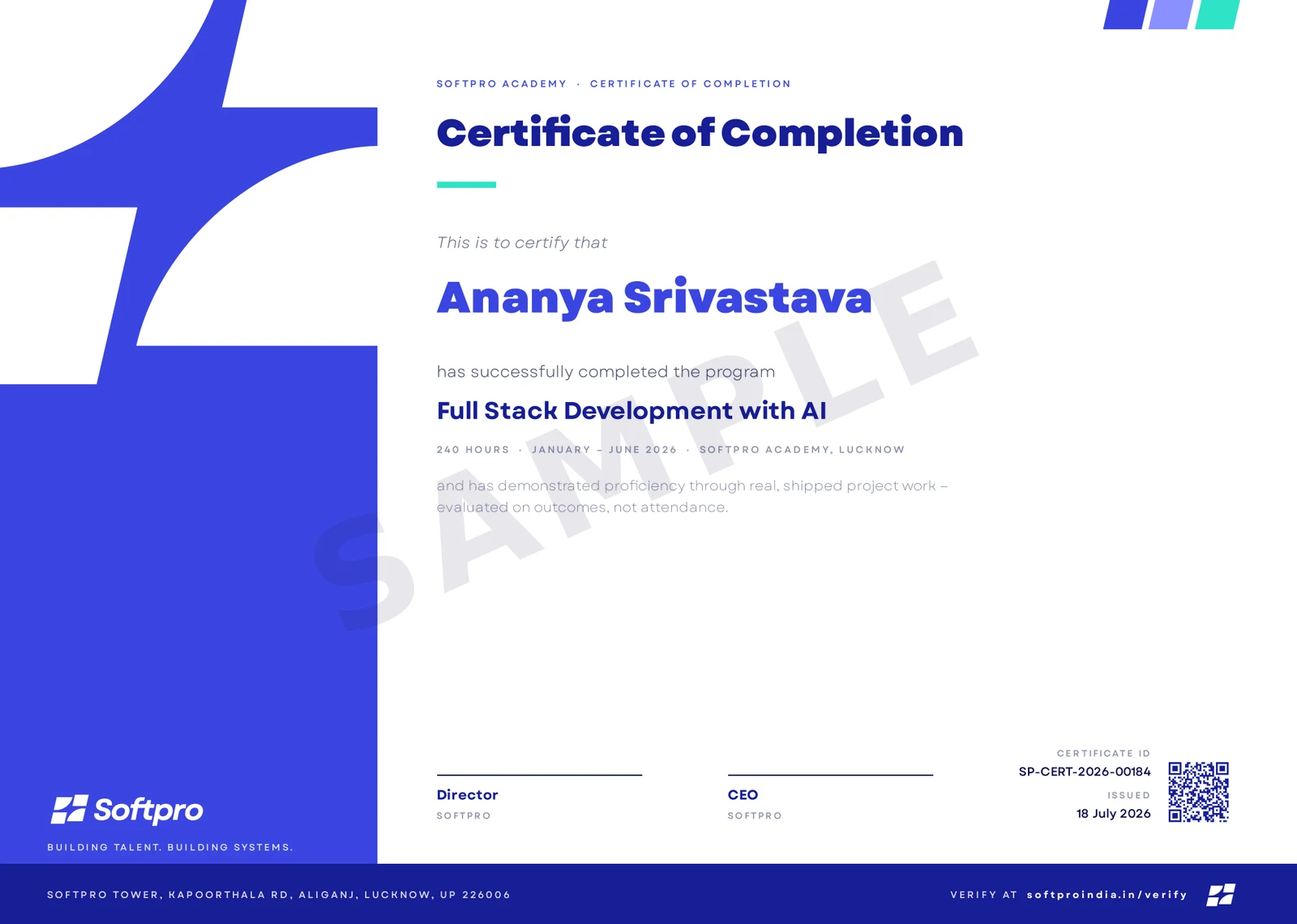
- Issued on program completion, with your name, course and grade.
- Carries a unique certificate ID and QR code.
- Anyone can confirm it in seconds on ourcertificate verification page — recruiters included.
A practice-first course that takes you from JavaScript fundamentals to a deployed MERN application. You start with modern JavaScript and Git, build interactive UIs in React — components, hooks, state, and routing — then move server-side: Node and Express APIs, MongoDB data modelling with Mongoose, and JWT authentication. You finish by wiring the full stack together, testing it, and deploying a complete product with a portfolio-ready repo. Every module ends in something you build.
Upcoming cohorts
New cohort dates are announced regularly — send an enquiry and we'll reserve you a seat in the next one.
Related courses
Course · Web Development
CSS
Master CSS from your first stylesheet to interview-grade, production-ready styling — the cascade and specificity, Flexbox and Grid, responsive and container-driven design, animatio
- Foundation
- ~19 hours
- Self-Paced
- Self-paced — start anytime
Course · Web Development
HTML
Master HTML properly — from how the browser parses markup into the DOM to semantic structure, accessible forms, multimedia, SEO, and structured data. HTML only, done the way real t
- Foundation
- ~15 hours
- Self-Paced
- Self-paced — start anytime
Course · Web Development
JavaScript
Go from your first variable to genuinely advanced, interview-grade vanilla JavaScript — the language internals, the DOM, modern ES2015+ syntax, OOP, asynchronous JS, and modules/to
- Foundation
- ~27 hours
- Self-Paced
- Self-paced — start anytime