







What you'll be able to do
- Build responsive, multi-page websites with HTML, CSS, JavaScript, and Bootstrap
- Write solid Core Java: OOP, collections, exceptions, multithreading, file I/O, and JDBC
- Build production-style REST APIs with Spring Boot, JPA/Hibernate, and a relational database
- Secure APIs with Spring Security and JWT
- Design, build, and deploy a microservices-based application
Before you start
- A laptop that can run a JDK and an IDE (IntelliJ or Eclipse)
- Basic comfort using a computer; no prior coding required
- Willingness to practice daily through the cohort
Tools & technologies
The syllabus
Introduction to Web Technologies & HTML Basics
Understand how the web works and write your first HTML pages.
- How the web works: client–server, DNS, HTTP/HTTPS
- Browsers and web servers
- Set up your dev environment: editor, IDE, DevTools
- HTML document structure, tags, and attributes
- Build your first page: headings, paragraphs, lists, images
- Day 1 checkpoint
Advanced HTML & Semantic HTML
Build forms, embed multimedia, and write accessible, semantic markup.
- Forms and form controls: inputs, buttons, checkboxes, radios
- Multimedia: audio, video, and embedding
- Tables and structuring data
- Semantic HTML, accessibility, and SEO-friendly markup
- Project 1: Personal Bio Page
- Day 2 checkpoint
Introduction to CSS & Styling Basics
Style HTML with selectors, text properties, and the box model.
- Three ways to add CSS: inline, internal, external
- Selectors, properties, and values
- Styling text: fonts, colors, and alignment
- The box model: margin, padding, border, content
- Day 3 checkpoint
Advanced CSS for Layouts
Lay out responsive pages with Flexbox, Grid, positioning, and media queries.
- Flexbox fundamentals
- CSS Grid fundamentals
- Float, clear, and positioning (relative/absolute/fixed/sticky)
- Responsive design with media queries
- Project 2: Responsive Product Landing Page
- Day 4 checkpoint
CSS Transitions, Animations & Pseudo-Classes
Add motion and interactive states with transitions, keyframes, and pseudo-classes.
- Transitions for smooth animations
- Keyframes and custom animations
- Pseudo-classes and pseudo-elements: :hover, ::before, ::after
- Day 5 checkpoint
JavaScript Basics
Write core JavaScript and manipulate the DOM.
- Variables, data types, and operators
- Functions, conditionals, and loops
- DOM manipulation: accessing and modifying elements
- Project 3: Interactive Quiz
- Day 6 checkpoint
Advanced JavaScript & Event Handling
Handle events and validate forms with JavaScript and regex.
- Arrays, objects, and functions in depth
- Event listeners: click, hover, keypress
- Form validation and regular expressions
- Day 7 checkpoint
Introduction to Bootstrap & Responsive Design
Use the Bootstrap grid to build responsive layouts fast.
- What is Bootstrap and how to set it up (CDN vs local)
- The Bootstrap grid system
- Responsive layouts: breakpoints and column system
- Project 4: Responsive Business Website
- Day 8 checkpoint
Bootstrap Components & Utilities
Build UIs faster with Bootstrap components and utility classes.
- Core components: buttons, cards, forms, alerts
- Navigation bars and dropdowns
- Utility classes: spacing, colors, and responsive helpers
- Day 9 checkpoint
Bootstrap Forms & Modals
Build responsive forms, modals, and carousels with Bootstrap.
- Responsive forms: input groups, form grids, validation styles
- Modals for pop-up content
- Carousels for image and content sliders
- Project 5: Bootstrap Portfolio Website
- Day 10 checkpoint
Integrating JavaScript with Bootstrap
Control and extend Bootstrap components with JavaScript.
- Controlling Bootstrap components with JavaScript (modals, tooltips, dropdowns)
- Event listeners for dynamic Bootstrap interactions
- Day 11 checkpoint
Advanced JavaScript & AJAX
Fetch and display external data dynamically with AJAX and JSON.
- Asynchronous JavaScript and AJAX explained
- Fetching external APIs and working with JSON
- Dynamic content loading without page refresh
- Day 12 checkpoint
Web Development Best Practices
Use Git for version control and optimize web performance.
- Version control with Git and GitHub: clone, commit, push, pull
- Performance: minifying CSS/JS and optimizing assets
- Day 13 checkpoint
Project Deployment & Final Review
Deploy a static site and verify it across browsers and devices.
- Deploying with GitHub Pages and Netlify
- Cross-browser compatibility and responsiveness checks
- Final project preparation and review
- Day 14 checkpoint
Foundation Capstone: Complete Web Application
Plan, build, and present a multi-page responsive web app.
- Capstone brief: a multi-page responsive web app
- Planning and structuring your foundation capstone
- Build and present your foundation web app
Introduction to Java
Set up the JDK and an IDE, and run your first Java program.
- Overview of Java and its features
- Installing the JDK and setting up IntelliJ/Eclipse
- Writing and running your first Java program
- Day 1 checkpoint
Java Basics: Data Types & Operators
Work with variables, types, type conversion, and operators.
- Variables, data types, and type conversion
- Operators: arithmetic, logical, relational, bitwise
- Practice lab: data types and operators
- Day 2 checkpoint
Control Flow Statements
Control program flow with conditionals and loops.
- Decision-making: if-else and switch
- Loops: for, while, do-while
- Control-flow practice lab
- Day 3 checkpoint
Arrays and Strings
Use arrays and Java String methods effectively.
- One-dimensional and multi-dimensional arrays
- String handling and String methods
- Arrays and Strings lab
- Day 4 checkpoint
Functions & Recursion
Define methods and solve problems with recursion.
- Defining methods, parameters, and return types
- Recursion in Java
- Methods and recursion lab
- Day 5 checkpoint
Object-Oriented Programming
Model code with classes, objects, and the OOP pillars.
- Classes, objects, and constructors
- Encapsulation
- Inheritance and polymorphism
- OOP practice lab
- Day 6 checkpoint
Abstraction and Interfaces
Use abstract classes and interfaces to design flexible code.
- Abstract classes vs. interfaces
- Multiple inheritance with interfaces
- Assignment: Employee Management System using OOP principles
- Day 7 checkpoint
Exception Handling
Handle errors with try-catch and custom exceptions.
- try-catch, throw, throws, finally
- Custom exceptions
- Exception handling lab
- Day 8 checkpoint
Collections: List & Set
Use List and Set implementations from the Collections framework.
- ArrayList and LinkedList
- HashSet and TreeSet
- List and Set lab
- Day 9 checkpoint
Collections: Map & Queue
Use Map and Queue implementations effectively.
- HashMap, LinkedHashMap, TreeMap
- PriorityQueue and Deque
- Map and Queue lab
- Day 10 checkpoint
Multithreading in Java
Run concurrent code with threads and synchronization.
- Threads and the Runnable interface
- Synchronization and inter-thread communication
- Multithreading lab
- Day 11 checkpoint
File Handling in Java
Read and write files and serialize objects.
- Reading and writing files with FileReader/FileWriter
- Serialization and deserialization
- File handling lab
- Day 12 checkpoint
Java Database Connectivity (JDBC)
Connect Java to a relational database and run CRUD with JDBC.
- Connecting Java with MySQL/PostgreSQL
- CRUD operations with PreparedStatement
- Day 13 checkpoint
Mini Project: Console-Based Banking System
Build a console banking app backed by JDBC.
- Designing the console banking system
- Build the banking app with Java and JDBC
- Day 14 checkpoint
Introduction to Spring Boot
Understand Spring Boot and scaffold a project.
- What is Spring Boot?
- Spring Boot architecture and benefits
- Setting up Spring Boot in IntelliJ/Eclipse
- Day 15 checkpoint
Annotations & Dependency Injection
Use core annotations and dependency injection.
- @SpringBootApplication, @Component, @Service
- Dependency injection: constructor vs. field injection
- Dependency injection lab
- Day 16 checkpoint
Spring Boot REST API: Basics
Build a basic REST API with mapping annotations.
- Creating a REST API with Spring Boot
- Understanding @GetMapping and @PostMapping
- Day 17 checkpoint
Spring Boot REST API: CRUD Operations
Build a full CRUD API backed by MySQL.
- Building a CRUD API with Spring Boot and MySQL
- Using @RequestBody and @PathVariable
- Day 18 checkpoint
Spring Boot with JPA & Hibernate
Persist data with JPA entities and repositories.
- Introduction to JPA and Hibernate
- Defining entity classes and repositories
- Day 19 checkpoint
Exception Handling in Spring Boot
Centralize error handling with @ControllerAdvice.
- Global exception handling with @ControllerAdvice
- Custom exception classes
- Day 20 checkpoint
Mini Project: User Management REST API
Build a complete user-management REST API.
- Designing the user management API
- Build the user management REST API with Spring Boot
- Day 21 checkpoint
Spring Security: Authentication & Authorization
Secure endpoints with Spring Security basic auth.
- Introduction to Spring Security
- Implementing basic authentication
- Day 22 checkpoint
JWT Authentication
Protect APIs with stateless JWT authentication.
- Implementing JWT authentication in Spring Boot
- Protecting APIs with JWT
- Day 23 checkpoint
Introduction to Microservices
Compare monolith vs microservices and build a basic service.
- Monolithic vs. microservices architecture
- Creating a basic microservice with Spring Boot
- Day 24 checkpoint
API Gateway & Service Discovery
Route and discover services with Spring Cloud Gateway and Eureka.
- API Gateway with Spring Cloud Gateway
- Service discovery with Eureka
- Day 25 checkpoint
Inter-Service Communication
Call services with Feign/RestTemplate and balance load.
- Feign Client and RestTemplate
- Load balancing with Ribbon
- Day 26 checkpoint
Deploying Spring Boot Applications
Containerize, deploy, and set up CI/CD for Spring Boot apps.
- Deploying on AWS, Heroku, or Docker
- Configuring CI/CD pipelines
- Day 27 checkpoint
Final Project: E-Commerce Microservices Application
Architect and build a microservices-based e-commerce backend.
- Architecting the e-commerce microservices app
- Build the microservices-based e-commerce application
Testing & Debugging
Write JUnit tests and debug/optimize a Spring Boot app.
- Writing unit tests with JUnit
- Debugging and optimizing performance
- Day 30 checkpoint
Capstone: E-Commerce Microservices Backend with Spring Boot
You are going to build the **backend** for a small e-commerce platform as a set of independent Spring Boot microservices that talk to each other through an API gateway.
How you'll learn
This course's public GitHub repo is shared when the next cohort opens —ask us for a preview and we'll send you the link.
The certificate you'll earn
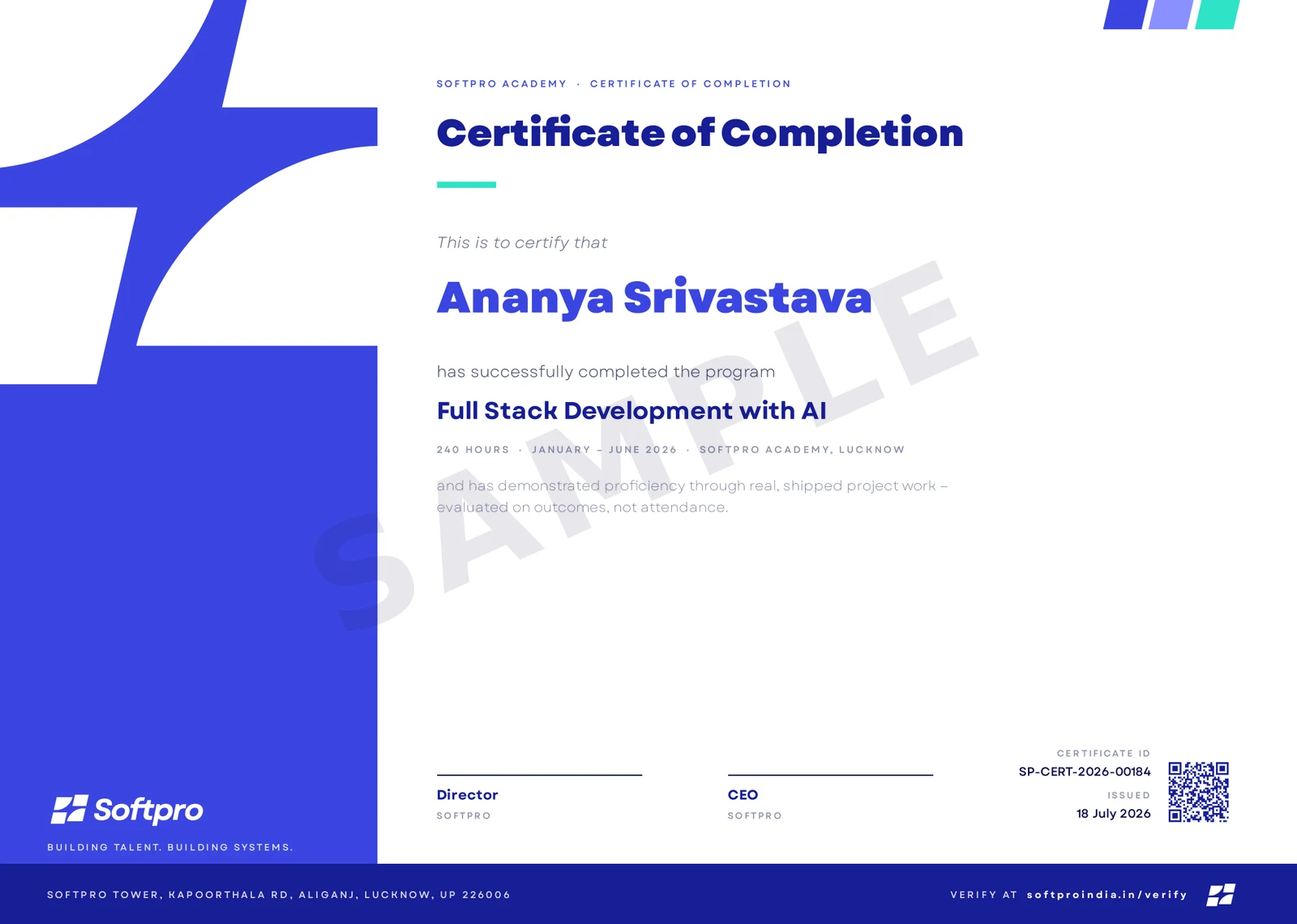
- Issued on program completion, with your name, course and grade.
- Carries a unique certificate ID and QR code.
- Anyone can confirm it in seconds on ourcertificate verification page — recruiters included.
A practice-first, end-to-end summer-training course that takes you from “I have never built a web page” to shipping a secure, microservices-based Java backend. You start with the web foundation — HTML, CSS, JavaScript, and Bootstrap — then go deep on Core Java, collections, multithreading, and JDBC, before building production-style REST APIs with Spring Boot, JPA/Hibernate, Spring Security with JWT, microservices, and deployment. Every module ends in something you build and a checkpoint that proves you learned it.
Upcoming cohorts
New cohort dates are announced regularly — send an enquiry and we'll reserve you a seat in the next one.
Related courses
Course · Programming
C Programming
A practice-first, 7-day offline cohort that takes you from your first C program to arrays, functions, and a console mini-project — variables, operators, decisions, loops, and more.
- Foundation
- ~7 hours
- New cohort announced soon

Course · Programming
Python Power-Up Week
A practice-first, 7-day offline cohort that locks in core Python — data types, strings, conditionals, loops, functions, data structures, errors and OOP — so you are ready for the A
- Foundation
- ~19 hours
- New cohort announced soon